Try to open the app and see the warning
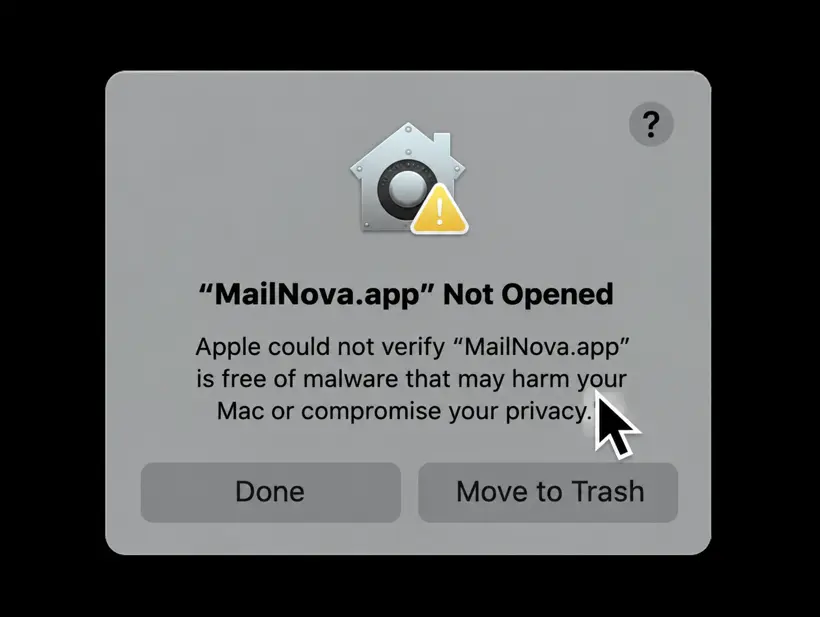
Double-click the app. macOS shows "App.app" Not Opened — Apple could not verify it is free of malware. Do not click Move to Trash. Click Done to close the dialog.
Seeing "Apple could not verify…" when you open the LiteAI app? Here is why it happens, why lteai.me is totally safe, and how to open it in under a minute.
macOS has a built-in security feature called Gatekeeper. By default it only opens apps that are signed with an Apple Developer ID and notarized by Apple. Signing and notarizing requires a paid Apple Developer Program membership and an automated review by Apple for every release.
The LiteAI app is currently distributed without that paid signature, so Gatekeeper shows a generic warning: "Apple could not verify the app is free of malware." This message does not mean the app is malicious. It only means Apple has not reviewed it.
The app has no Apple Developer ID signature or notarization ticket, so macOS can't verify the developer.
It does not mean a virus was found. macOS did not scan and flag the app. It just can't confirm who made it.
Follow these 5 steps (macOS Ventura, Sonoma, Sequoia and later).
Double-click the app. macOS shows "App.app" Not Opened — Apple could not verify it is free of malware. Do not click Move to Trash. Click Done to close the dialog.
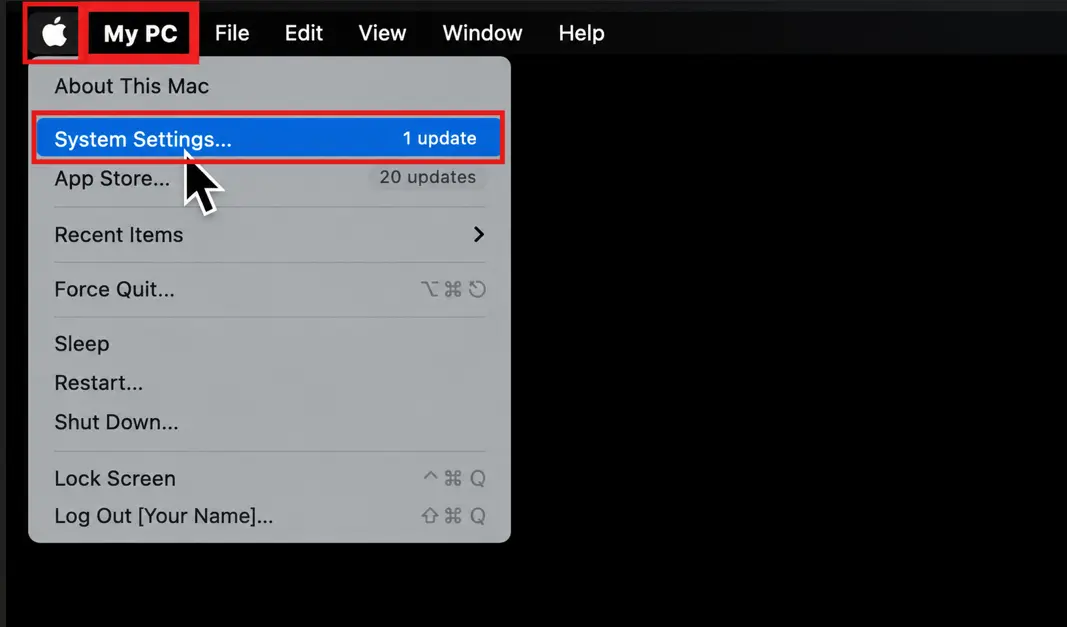
Click the Apple menu in the top-left corner of your screen and choose System Settings….
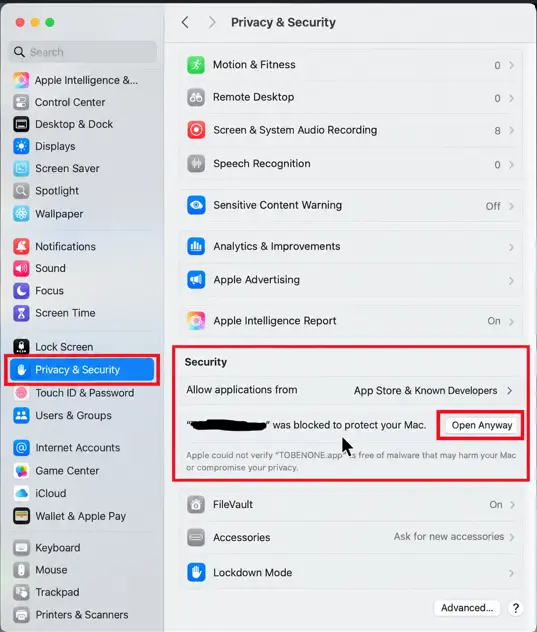
In the sidebar select Privacy & Security, then scroll down to the Security section. You will see "App" was blocked to protect your Mac. Click Open Anyway.
The button only appears for about an hour after you tried to open the app. If it's missing, repeat Step 1.
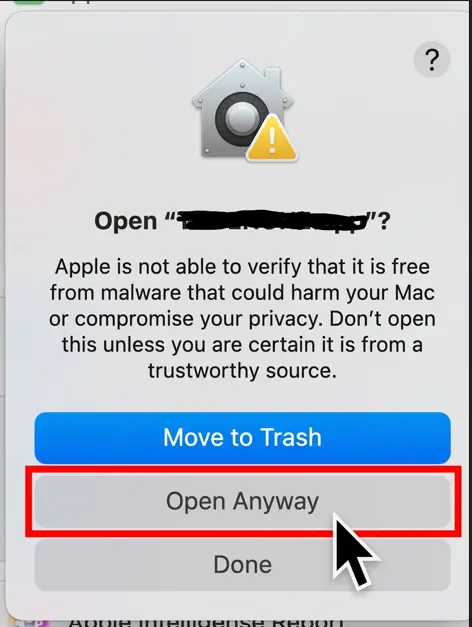
A final confirmation asks Open "App"? Since you downloaded LiteAI from lteai.me, click Open Anyway.
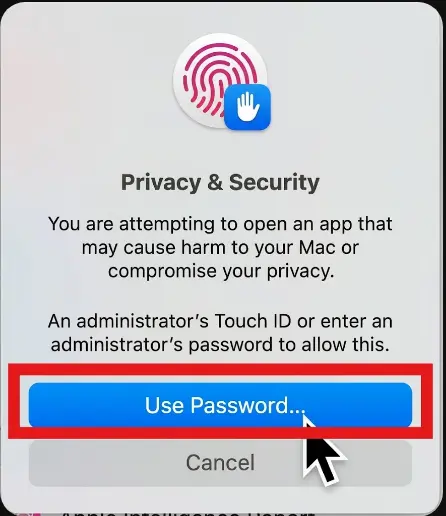
Authenticate with Touch ID or click Use Password… and enter your Mac administrator password. The app now opens, and macOS remembers your choice, so you won't see this again.
If you prefer the command line, remove the quarantine flag from the app:
$ xattr -cr /Applications/my_app_name.app_
Adjust the path if you installed the app elsewhere.
Yes, for LiteAI downloaded from lteai.me. Only do this for apps from sources you trust.
Open the app once first so macOS registers the block, then check Privacy & Security right away. The button stays for roughly one hour.
No. After the first approval macOS stores an exception for that app. A new version may ask again.