 LiteAI
Web to APK with Built-In Analytics
Convert any web app or URL into a native Android APK/AAB instantly. Track button taps, interactive interfaces, and geographic install heatmaps with zero-config telemetry.
Track Button Clicks in a WebView APK Without Code
See every button tap, form submission, and screen transition directly in your LiteAI dashboard. Stop losing 50%+ of your web analytics data when wrapping your site. Here is how our compiled telemetry bridge works:
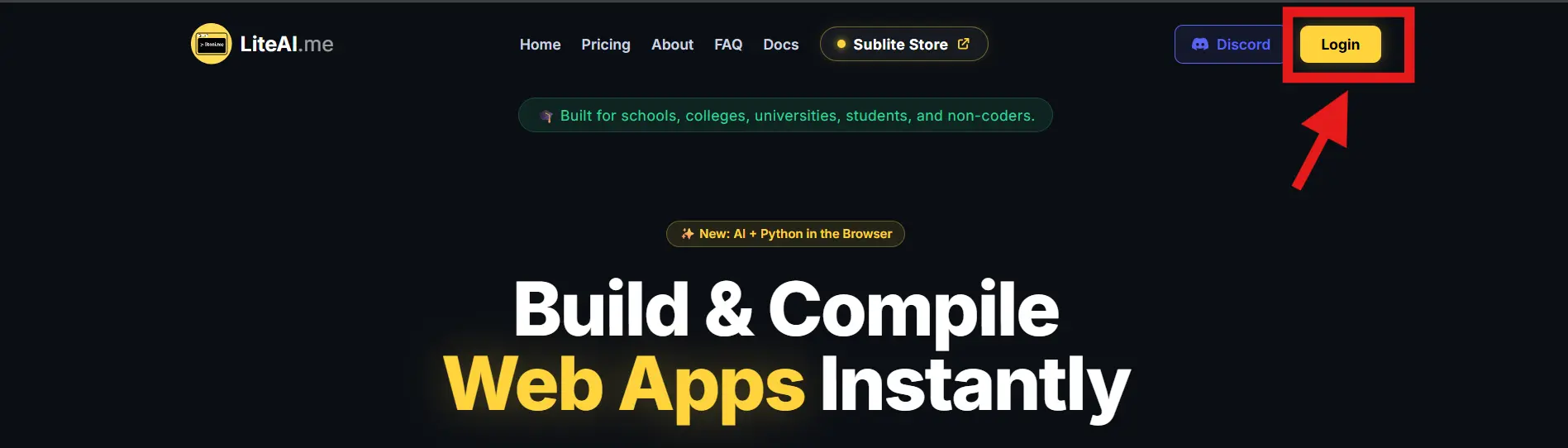
Login to LiteAI
Access your builder dashboard by clicking the Login button on the top navigation bar.
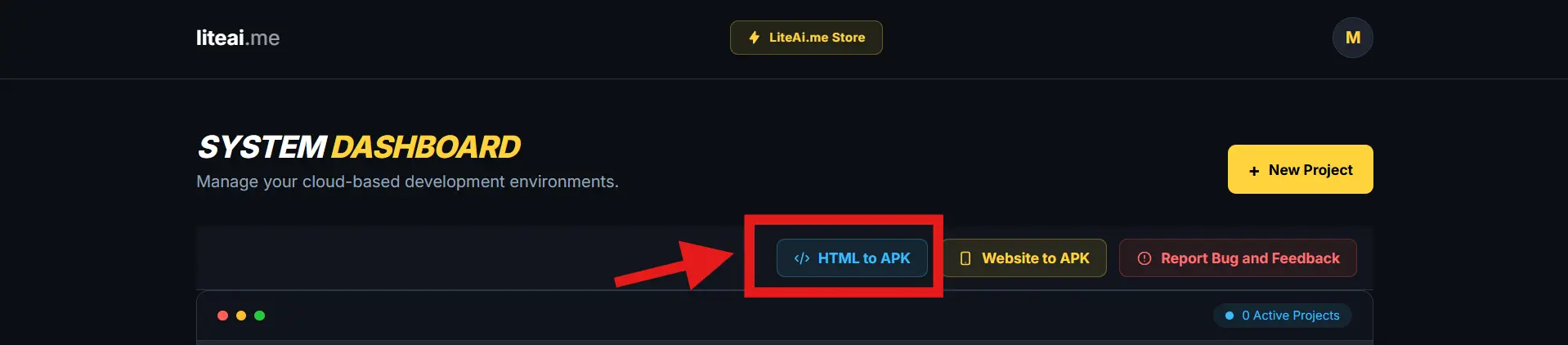
Select App Converter Hub
From your System Dashboard, navigate to the App Converter Hub to initialize a telemetry-enabled web wrapper.
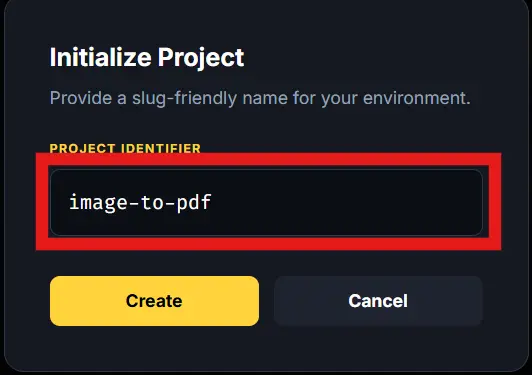
Initialize Project Workspace
Provide a slug-friendly identifier for your environment, such as my-tracked-app, and create your workspace.
Access App Analytics
Once your project workspace is compiled and active, click the App Analytic button next to your project name.

Monitor Live Telemetry
View your real-time analytics dashboard containing geographic install heatmaps, interactive element clicks, and session engagement rates.
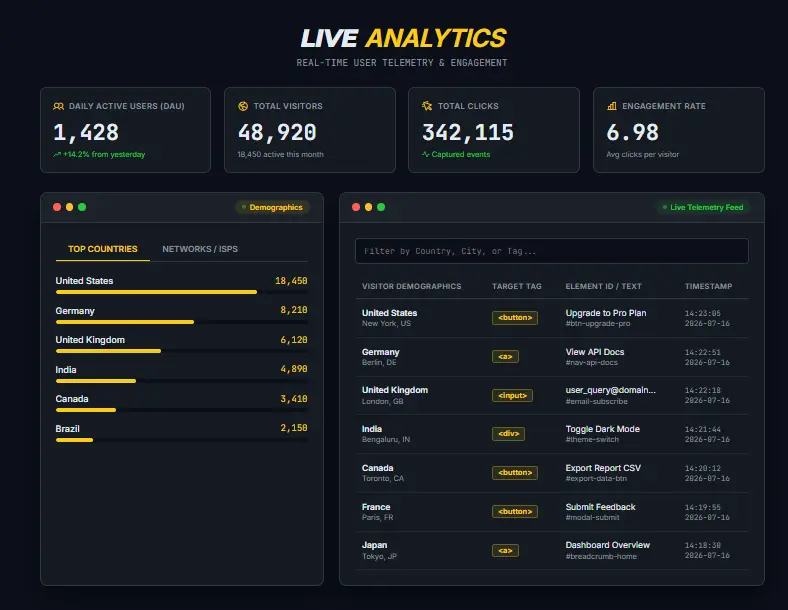
Compile Your Application
The analytics demo above shows you how to track users. To complete the process and generate your installable file, compile your web application to an APK or AAB.
Launch App ConverterNo-Code Android App Install Location Tracking
Understand exactly which cities and countries your Android app is scaling in without adding intrusive location permission requests (ACCESS_FINE_LOCATION) that cause users to abandon installation.
Traditional custom wrappers require complex IP routing servers or invasive GPS prompts to log distribution statistics. LiteAI's integrated infrastructure automatically parses client installation signatures at the cloud routing level, mapping accurate geographic distributions securely on an interactive world map right out of the box.
Why Google Analytics (GA4) & Manual WebViews Fail
When developers wrap a website into an Android app, standard web analytics scripts fail. Google Analytics relies heavily on third-party tracking cookies and browser session storage, which get wiped during mobile state shifts or blocked by consent banners. Here is why hardcoding manual JavaScript bridges in Android Studio loses to simple compiled no-code analytics:
| Feature Vector | Manual Code Bridge / GA4 | LiteAI Built-In Tracking |
|---|---|---|
| Setup Engineering Time | 3 to 5 Days (Coding, testing & debugging) | Instant (Compiled at build time) |
| Coding Skills Required | Advanced Java/Kotlin & custom JS event listeners | Zero code or scripting required |
| GA4 & Firebase Reliability | Drops ~65% of tokens during app state shifts | 100% Native Thread Persistence |
| Core Web Vitals Impact | Heavy script bloat (~45KB+) & CLS risk | Zero DOM bloat (< 3KB native bridge) |
| Play Store Resubmission | Required every time tracking event schemas change | Never required (Dynamic DOM parsing) |
| Geographic Install Mapping | Requires manual GPS permission prompts in manifest | Automatic cloud-routing location mapping |
Frequently Asked Questions
Everything you need to know about tracking user activity in converted Android web apps.
Why do standard Google Analytics (GA4) and web analytics scripts fail in Android WebViews?
Standard web analytics scripts fail inside Android WebViews because mobile app wrappers do not handle third-party cookies, DOM storage, or session persistence the same way standard mobile browsers do. When a user transitions between app states, tracking tokens get wiped.
Can you track button clicks and install locations in an Android WebView APK without writing code?
Yes. Modern web-to-app conversion platforms like LiteAI.me eliminate the need for manual JavaScript bridges by compiling native activity tracking directly into the APK at build time, allowing creators to track button clicks and geographic install locations from a unified visual dashboard.
Do I need to resubmit my app to the Google Play Store to track new buttons?
No. When utilizing LiteAI's built-in ecosystem tracking layer, metric parameters sync dynamically over active web layout changes. This lets you modify your website UI and track new interactive elements anytime without going through tedious Google Play Store re-upload lifecycles.
Ready to Build Your Tracked Android App?
Turn your website into a high-performance APK or Play Store-ready AAB with integrated heatmaps and simple user analytics in less than 2 minutes.
Open App Converter Now